
Chat with your doctors securely over audio video or text messages
Need to share your PHR details to the doctor? Just click on the attachment icon, click on “Add to PHR” and you can select your desired records. Attach any document such as doctor’s office notes, discharge summaries and lab results and get guidance from our vast pool of doctors.

From first tap to done — in five steps.
Compose
Pick a topic; reach the right person on the team.
Attach
Photos, PDFs, vitals — all encrypted.
Reply
Push + SMS notification when the team responds.
Escalate
Tap to convert any thread to audio or video.
Archive
Auto-saved to the chart for continuity.
What changes when you switch this on.
| Workflow | Before PatientMD | With PatientMD |
|---|---|---|
| Reaching the office | Phone tree + hold music. | One thread; the right person replies. |
| Sharing photos | MMS or email — both insecure. | Encrypted and tied to the visit. |
| Follow-up questions | Another visit to ask one thing. | Quick async thread. |
| Continuity | Each visit starts from zero. | Past threads inform the next visit. |
Common reasons people use this.
Built around your workflow — not against it.
Need to share your PHR details to the doctor? Just click on the attachment icon, click on “Add to PHR” and you can select your desired records. Attach any document such as doctor’s office notes, discharge summaries and lab results and get guidance from our vast pool of doctors.
Talk to our team →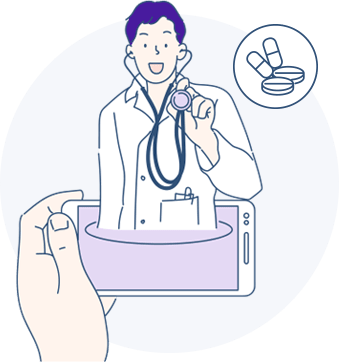
Everything you'd want to know.
Tap any question to expand the answer.
Forgot to take your medications or go for your lab test? Not any more! Set reminders easily in the reminders section that can guide you to take your medications on time or undergo lab test on your desired date. You can
Forgot to take your medications or go for your lab test? Not any more! Set reminders easily in the reminders section that can guide you to take your medications on time or undergo lab test on your desired date. You can
Read the reminders
Read the reminders
Create a new one
Create a new one
Edit reminders
Edit reminders
Share Reminder
Want to remind your patient of your scheduled tests? You can now share the vital reminders over your account on social media to a patient or patients you wish to. These will guide you in remembering the important events and activities.
Eliminate the unwanted
Completed your schedule and do not need to be reminded of the same? Delete them. Same for the messages sent, received or the ones in draft. Easily select the multiple messages at once and delete them at your ease.
Ready to try patients on PatientMD?
Request access and our support team will get in touch. Existing user? Sign in.
Request access